
Choosing a VPN in the United States has become harder, not easier. Dozens of providers promise military-grade encryption, blazing speeds and total anonymity, yet most Americans simply want three things: safer public Wi-Fi, fewer trackers following them around the web, and reliable access to their streaming libraries when they travel. This guide explains how to judge a VPN on the criteria that actually matter, then walks through the services that consistently rank near the top for U.S. users.
Note: some links on this site are affiliate links. If you buy through them we may earn a commission at no extra cost to you. Our recommendations are based on the criteria below, not on payout. See our affiliate disclosure for details.
What a VPN Actually Does (and Does Not Do)
A virtual private network creates an encrypted tunnel between your device and a server run by the VPN company. Your internet provider can no longer see which sites you visit, and websites see the VPN server’s IP address instead of your home address. That is genuinely useful on hotel, airport and coffee-shop networks, and it makes it harder for advertisers to tie your browsing to your household.
A VPN does not make you invisible. If you log into Google or Facebook, those companies still know who you are. It will not remove malware, and it cannot stop phishing. Think of it as one layer in a wider defense that should also include a password manager and two-factor authentication. For more on that wider picture, read our two-factor authentication guide and our roundup of the best password managers.
How We Evaluate VPNs
1. Privacy and independent audits
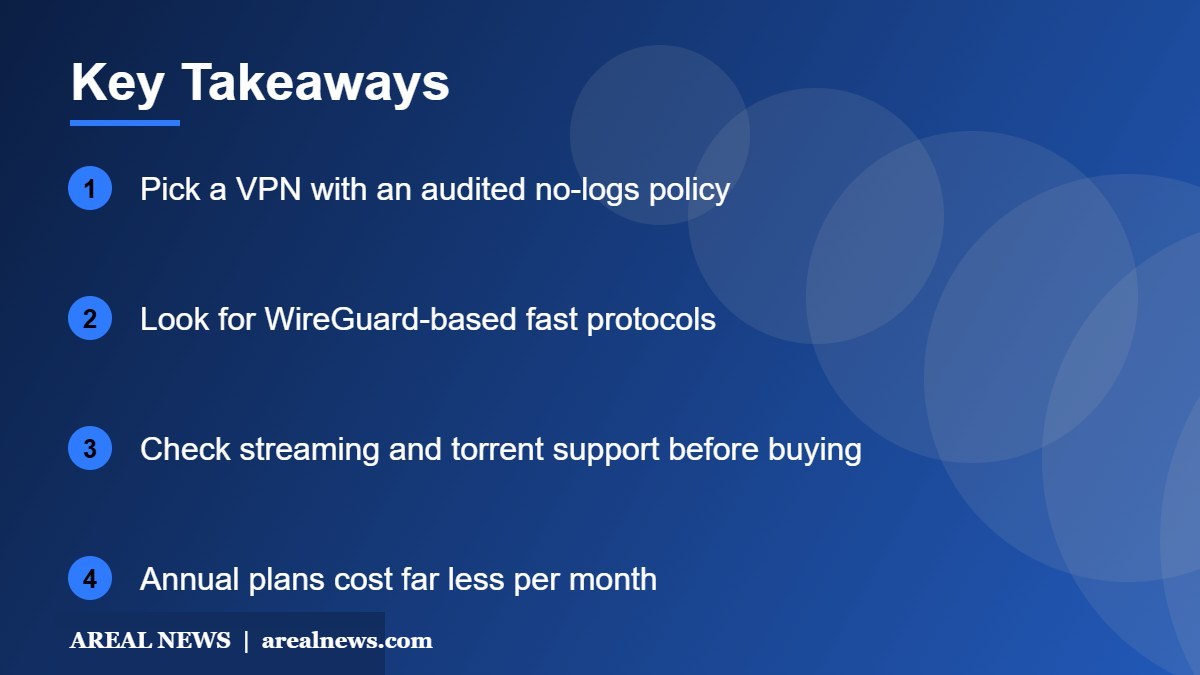
The entire value of a VPN rests on trust, because the provider can technically see your traffic. Look for a clearly written no-logs policy that has been verified by an independent audit, a company jurisdiction with sensible privacy laws, and a history of transparency reports. RAM-only servers, which wipe themselves on reboot, are a strong extra signal.
2. Speed and protocol support
Modern protocols such as WireGuard and its proprietary variants deliver much faster speeds than older OpenVPN configurations. For a typical U.S. household on a cable or fiber plan, a good VPN should reduce speeds only modestly. If you pay for a gigabit connection, a fast protocol is the difference between a VPN you forget about and one you switch off.
3. Streaming and everyday usability
Many people buy a VPN to watch their home streaming libraries while traveling, or to reach other regions’ catalogs. Streaming services actively block VPN addresses, so reliability varies from week to week. Providers that invest in dedicated streaming servers tend to perform best. We cover this in more depth in our guide to the best VPNs for streaming in the USA.
4. Apps, devices and simultaneous connections
You should get polished apps for Windows, macOS, iOS, Android and ideally Linux, plus browser extensions and support for routers or smart TVs. Some providers limit you to five or ten devices, while others allow unlimited connections, which is excellent for large families.
5. Price and renewal terms
VPN pricing is dominated by long-term discounts. Two-year plans often look cheap per month, but renewal rates can be much higher. Always check what the plan costs after the first term and whether a money-back guarantee, commonly thirty days, applies.
Our Top VPN Picks for U.S. Users
NordVPN: best all-rounder
NordVPN is the name most Americans recognize, and it earns that status. It offers a very large server network, the fast NordLynx protocol built on WireGuard, audited no-logs claims, and extras such as threat protection and double-hop servers. It is easy for beginners and flexible enough for power users. The main downside is that renewal prices climb after introductory deals, so budget accordingly.
Surfshark: best value for families
Surfshark allows unlimited simultaneous connections on a single subscription, which is a big saving for households with phones, tablets, laptops and smart TVs. Its feature list is generous, including ad blocking, a clean web mode and a kill switch. Speeds are strong, and it is usually among the cheapest premium options on long plans.
ExpressVPN: best for simplicity and reliability
ExpressVPN focuses on being straightforward. Its apps are polished, connection reliability is consistently praised, and it has a long track record of server audits. It generally costs more than rivals, so it suits people who value a no-fuss experience over the lowest price.
Proton VPN: best for privacy purists
Proton VPN comes from the team behind Proton Mail and publishes open-source apps with regular security audits. It also offers a free tier with no data cap, which makes it the best free option for light use. Paid plans unlock more servers, higher speeds and streaming support. If you care about transparency, this is a very strong pick. See how it stacks up in our free VPN vs paid VPN comparison.
Quick Comparison
- NordVPN: fastest overall experience, large network, strong security extras.
- Surfshark: unlimited devices and low long-term pricing.
- ExpressVPN: easiest to use, premium price.
- Proton VPN: open-source, privacy-first, with a genuine free plan.
How to Choose the Right VPN for You
Start with your main reason for buying. If you mostly want protection on public Wi-Fi, any reputable provider with a kill switch will do. If you stream a lot, prioritize providers with strong streaming reliability and fast protocols. If you share an account with family, count your devices and favor unlimited-connection plans. If privacy is your top concern, weigh audits, jurisdiction and open-source code more heavily than raw server counts.
Then use the money-back guarantee. Install the app on your own devices, run a few speed tests on your home connection, try your streaming apps and make sure the app is pleasant to use. If something is off, you can cancel within the refund window.
Common VPN Mistakes to Avoid
- Choosing a free VPN with unknown owners. Some free apps earn money by selling data, which defeats the point.
- Forgetting the kill switch. Without it, a dropped connection can briefly expose your real IP address.
- Expecting anonymity. A VPN hides your IP, not your identity when you sign in to accounts.
- Ignoring renewal pricing. Set a calendar reminder before your plan renews.
Is a VPN Legal and Safe in the United States?
Yes. Using a VPN is legal across the U.S., though illegal activity remains illegal with or without one. We explain the details in Is a VPN legal in the USA?. If you want to use a VPN on your phone, our walkthrough on setting up a VPN on iPhone and Android takes only a few minutes.
Frequently Asked Questions
Will a VPN slow down my internet?
Slightly, because traffic takes an extra hop and is encrypted. With a fast protocol and a nearby server, most people barely notice. If you do, switch servers or protocols.
Can I use one VPN subscription on several devices?
Yes. Most providers allow between five and ten devices at once, and a few allow unlimited connections.
Do I need a VPN at home?
It is not essential, but it limits what your internet provider can observe and can help with geo-restricted content. It is most valuable on networks you do not control.
Is it better to buy a VPN monthly or yearly?
Long plans are far cheaper per month, but start with the shortest commitment you are comfortable with, or rely on the refund window, until you are sure the service fits.
Final Verdict
For most Americans, NordVPN is the safest overall choice, Surfshark is the value pick for big households, ExpressVPN suits people who want simplicity, and Proton VPN is ideal for privacy-minded users who want to start free. Whichever you choose, pair it with strong passwords and updated devices. You may also want to read our guide on the best antivirus software for Windows to complete your security setup.


