
Small business owners wear many hats: marketer, accountant, customer service rep and operations manager, often all in the same afternoon. Artificial intelligence tools can lift some of that load by drafting content, answering routine questions, summarizing meetings, organizing finances and automating repetitive work. You do not need a technical team or a big budget to benefit. This guide shows the best categories of AI tools for U.S. small businesses, with examples, practical use cases and the safeguards you should put in place.
Disclosure: some links are affiliate links; see our affiliate disclosure. Always check current pricing and features on each provider’s site.
Where AI Helps Small Businesses Most
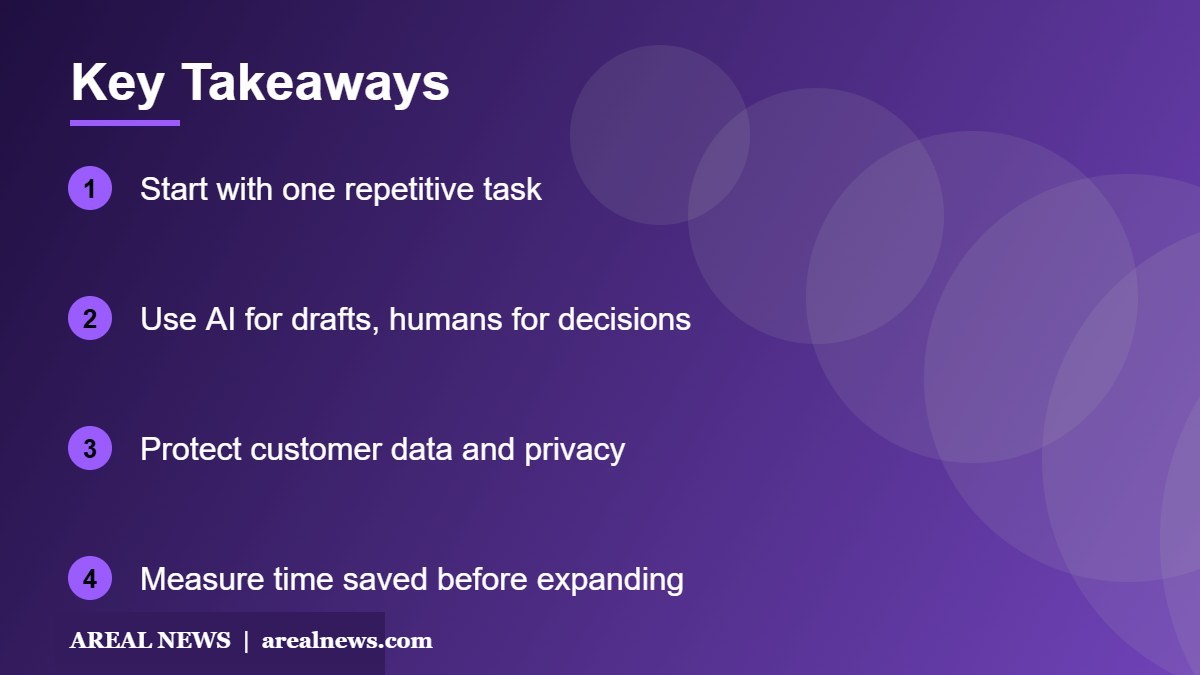
The best opportunities involve tasks that are repetitive, text-heavy or time-consuming but do not require deep judgment: first drafts, summaries, categorization, scheduling and answering common questions. Start with a single painful task, measure how much time you save and expand from there. Trying to automate everything at once usually leads to frustration.
AI Assistants for Daily Work
General assistants such as ChatGPT, Claude and Gemini can draft emails, write job descriptions, brainstorm promotions, summarize documents and analyze spreadsheets. They are the best starting point because they are flexible and affordable. Compare them in our guide to ChatGPT vs Claude vs Gemini.
Example uses
- Turn bullet points into a polished customer email.
- Summarize a long vendor contract into key terms to discuss with your attorney.
- Draft three versions of a seasonal promotion and pick the best.
- Create a training checklist for new employees.
AI for Marketing and Content
Marketing tools help you plan content, write social posts, create images and optimize ads. Writing assistants like Jasper, Copy.ai and Grammarly assist with brand-consistent copy, while design tools such as Canva include AI features for quick graphics. See our reviews of the best AI writing tools and best AI image generators. Always review and personalize the results so your brand voice stays authentic.
AI for Customer Service
Chatbots and help-desk tools can answer common questions around the clock, collect customer details and route complicated issues to a human. Platforms like Intercom, Zendesk and Tidio include AI features that learn from your help articles. Set clear boundaries: let the bot handle store hours, order status and returns policy, and hand off billing disputes or complaints to a person.
AI for Sales and CRM
Modern customer relationship management tools can summarize call notes, suggest follow-ups, score leads and draft outreach. HubSpot, Zoho and Salesforce include AI assistants of varying power. Compare platforms in our guide to the best CRM software for small business.
AI for Bookkeeping and Finance
Accounting software increasingly uses AI to categorize transactions, read receipts and flag unusual expenses. QuickBooks and Xero are popular choices, and our roundup of best accounting software compares them in detail. Keep your accountant in the loop, because AI suggestions still need review at tax time.
AI for Meetings and Productivity
Transcription and note-taking tools such as Otter, Fireflies and built-in features in Zoom and Microsoft Teams record meetings, summarize decisions and list action items. Project tools covered in best project management software use AI to draft tasks and summarize progress. Read our advice on using AI to save time at work.
How to Roll Out AI Without Chaos
- List repetitive tasks. Ask employees where they lose time each week.
- Pick one pilot. Choose a task with clear success measures, such as minutes saved per email.
- Write simple guidelines. Describe what data may be shared with AI tools and what is off limits.
- Train your team. A one-hour workshop on prompting and review saves hours later.
- Review results. Check quality, errors and customer reactions after a month.
- Scale gradually. Add tools only when the first one proves its value.
Privacy, Security and Legal Considerations
Do not paste customer personal data, passwords or confidential contracts into tools that are not approved by your company. Choose business plans with data protection commitments, restrict access with strong passwords and two-factor authentication, and keep records of how AI is used. Review the guides on password managers and 2FA for account security. Check advertising and disclosure rules before publishing AI-generated content, and make sure you own or have rights to any images or text you publish.
Costs and Return on Investment
Many AI tools start with free tiers, and paid plans commonly cost in the range of tens of dollars per user each month. Calculate value by estimating hours saved multiplied by an hourly rate. If a tool saves five hours monthly and your time is worth more than its subscription, it pays for itself. Cancel tools that go unused.
Frequently Asked Questions
Will AI replace my employees?
For most small businesses, AI works best as an assistant that frees people for customer-facing and creative work.
Is it expensive to get started?
No. Begin with free or low-cost tiers and upgrade when you see results.
Is AI accurate enough for business use?
It is useful for drafts and sorting, but verify facts, numbers and legal or financial statements.
Final Thoughts
AI will not run your business for you, but it can give you time back. Start small, protect your data and keep humans in charge of decisions. In a few months, you may wonder how you managed without it.
How We Research and Update This Guide
Every Areal News guide on artificial intelligence starts with the questions U.S. readers actually ask. We review official documentation, published specifications, independent test results where they exist and real-world user feedback, then compare products on the same criteria so recommendations are consistent. We explain our reasoning instead of simply ranking products, so you can adjust the advice to your own situation and budget.
Technology changes quickly. Prices, plans, features and availability can change after publication, so always confirm current details on the provider’s own website before you buy or sign up. We revisit our guides regularly and update them when something important changes. If you spot an error or an out-of-date recommendation, please tell us through our contact page and we will review it promptly.
Some of our articles contain affiliate links. If you purchase through one, we may earn a commission at no additional cost to you. Commissions never decide which products we recommend or how we rank them; our affiliate disclosure explains how we keep editorial decisions independent. This article is for general information and is not professional legal, financial or security advice.


